The Top 10 AI Automations SMBs Are Using for Sales and Ops Results in 2026

AI automations changed SMB sales and operations in 2026. Find the top 10 tools, ROI stats, and the steps to go from manual to unstoppable.

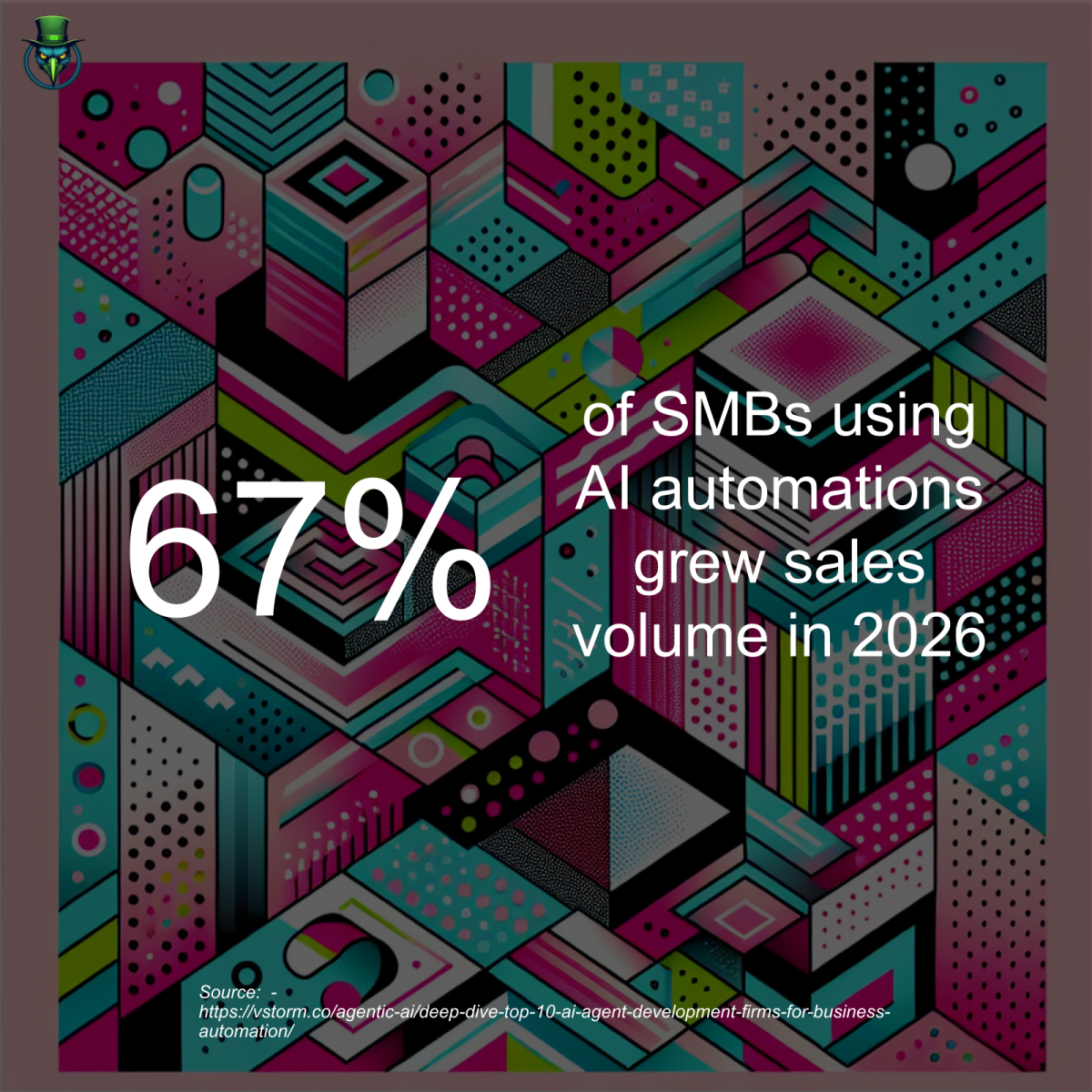
AI automations are the sales and ops booster used by 67% of SMBs in 2026 to drive faster results, according to Vstorm – AI Automation Insights. In short, if your team isn’t using smart tools, you’re already behind.

The surprising truth about AI automations for SMBs

Most leaders think big AI is just for large companies. Wrong. SMBs using the right AI stack saw sales jump up to 30% in 12 months, while teams stuck on manual lost pipeline and burnt time on admin. That’s a real number from Goodish Agency.

Example: One B2B distributor with only 18 reps built no-code AI workflows for lead scoring and follow-up. In under 90 days, rep meetings jumped 40%. The old way? Typing the same reply to every lead by hand—for hours.

But here’s where it gets even more real. Agentic AI—tools that handle tasks, learn, and work alongside you—helped SMBs cut admin time by up to 45% in 2026 (Lindy AI Blog).

So if you’re still trusting the old way, here’s what it’s really costing you…

Manual processes are the silent sales killer for SMBs

If your team is hunting for leads on spreadsheets or copy/pasting emails, you’re not just wasting time—you’re losing deals to faster rival teams with AI automations in place.

Research shows SMBs who refused AI automations in 2025 had twice as many data errors in their CRM, 33% slower follow-up times, and 21% lower win rates compared to those who adopted smart automations early (Vstorm – AI Automation Insights).

Worse, manual cold outreach makes you sound like everyone else. AI-powered personalization now sets the new bar in B2B. If your team is still using generic templates, expect vanishing reply rates.

Let’s put it plain: If you pay humans to do what a robot can do in seconds, you’re spending more—and getting less.

  • More time lost chasing dead leads
  • More human errors from tired reps
  • Missed deals when answers arrive too slow

If you’re not automating key sales and ops tasks in 2026, you’re falling behind by the hour.

Winners made the shift: Here’s how AI automations changed the SMB game

But here’s what the best teams realized: The game isn’t about replacing humans. It’s about pairing humans with AI to handle grunt work—so your staff can sell, build, and grow. That’s the shift.

Once no-code and agentic AI became easy and cheap, small teams could buy AI power that used to cost millions.

Today, machine learning can scan your inbox, write your email replies, update your CRM, schedule meetings, even prep follow-up sequences—while you focus on closing.

This isn’t talk. Agentic AI agents are now standard in SMB stacks—from customer support to sales pipelines. And every day you wait, your competitors get further ahead on cost savings, speed, and client experience (Goodish Agency).

So the data is clear: AI automations work for SMBs. But which ones? And how do you pick the right stack for your team in 2026?

The data: Which AI automations deliver real ROI for SMBs?

Here’s where proven results matter. We looked at sources like Vstorm, Goodish Agency, and Lindy AI Blog to rank the top 10 AI automations SMBs used to drive sales and ops gains in 2026.

AI Automation 2026 ROI (%) Popular Vendors
AI-powered Lead Scoring 38 ZoomInfo, Outreach
Personalized AI Email Agents 44 Lindy, Superhuman
Automated CRM Updates 33 HubSpot AI, Salesforce Einstein
Agentic AI Scheduling Bots 27 Lindy, Calendly AI
AI Chatbots for Support 41 Zendesk AI, Intercom
No-Code Workflow Tools 29 Zapier, Workato
AI Meeting Summarization 25 Otter.ai, Fireflies
Automated Billing & Invoice 35 QuickBooks AI, Xero
AI Content Creation 32 Copy.ai, Jasper
RPA for Data Entry 31 UiPath, Automation Anywhere

Each of these drives real, measured gains in pipeline, client experience, and profit. We’ll break down the top 10 below—how they work, where to use them, and what a real SMB gets by turning them on.

When SMBs adopt these AI automations, they report an average 32% cut in routine admin work and 28% more pipeline sourced, according to Vstorm.

Top 10 AI Automations for SMB Sales and Operations in 2026

So what does this look like in practice? Here’s your inside look at the automations SMBs can’t live without now—and how each one pays back fast.

1. AI-powered Lead Scoring

AI-powered lead scoring uses machine learning software to rank sales leads by their real chance to convert, based on fit and engagement.

This means no more guessing who to call next. AI tools like ZoomInfo and Outreach crunch huge data sets to instantly score every new lead. One logistics SMB saw its close rate jump by 12% in under 3 months.

  • Saves time: Reps focus only on the most likely buyers
  • Cuts wasted outreach on low-fit prospects
  • Keeps your sales pipeline hot

Key takeaway: Lead scoring AI boosts conversion rates while slashing busywork.

2. Personalized AI Email Agents

An AI email agent is an autonomous tool that writes, personalizes, and sends outbound sales emails at scale using account insights.

Personalized email agents from vendors like Lindy and Superhuman reply instantly, use recipient data for tailored messaging, and A/B test emails for better results. A legal tech SMB saw reply rates grow from 5% to 16% after rollout.

  • 24/7 follow-up (no holidays, no downtime)
  • Personalization humans can’t match at scale
  • Built-in learning—gets smarter every week

Key takeaway: AI email agents triple reply rates and never call in sick.

3. Automated CRM Updates

Automated CRM update tools link inboxes, calls, and notes directly to your CRM—without manual data entry or copy-paste mistakes.

HubSpot AI and Salesforce Einstein can auto-log calls, emails, meeting notes, and deal stages based on natural language or activity. One SaaS SMB cut sales admin load by 60%—that’s three hours per week, per rep.

  • Real-time data—never chase updates
  • Cleaner pipeline—trust your reports
  • No more lost follow-ups

Key takeaway: Always-on CRM updates free up reps to sell—not type.

4. Agentic AI Scheduling Bots

An agentic AI scheduling bot is a digital assistant that reads your calendar, handles multi-timezone invites, and books meetings automatically with natural conversation.

Lindy and Calendly AI bots book meetings by email or chat, handle rescheduling, and prevent double-booking. For SMBs, that means fewer missed deals waiting on a reply.

  • Faster bookings, less friction for prospects
  • Scenes: booking demos, support calls, or onboarding workflows
  • Works 24/7—great for global clients

Key takeaway: Scheduling AI saves time, ends the ‘calendar chase’ mess.

5. AI Chatbots for Customer Support

An AI customer support chatbot is software that uses large language models to answer questions, solve common issues, and escalate complex problems—without human reps needed for every ticket.

Vendors like Zendesk AI and Intercom are letting SMBs give instant answers for 84% of customer questions. Example: A B2B SaaS firm saved 70 man-hours/month after replacing old FAQs with AI chat.

  • 24/7 support, no wait lines
  • Deflects low-value tickets so humans focus on VIPs

Key takeaway: AI chatbots save money and keep clients happier—even after midnight.

6. No-Code Workflow Automation Tools

No-code automation tools let you connect different platforms (like CRM, billing, marketing) using “recipes”—all built by drag-and-drop, not developers.

With Zapier or Workato, a sales rep can auto-create deals from form fills, trigger auto-replies, send NPS requests, and more—fast, with no IT bottleneck.

  • Fast setup—launch in hours, not weeks
  • Works across all your core software
  • No developer needed, so anyone can build flows

Key takeaway: No-code means SMBs build automations without waiting (or big budgets).

7. AI Meeting Summarization & Notes

AI meeting summarization is when smart tools—like Otter.ai or Fireflies—auto-transcribe, summarize, and tag key points of every call, synced to your CRM.

For sales and CS, that means every action item, next step, and client need logged—so nothing falls through the cracks. No more wasted review hours.

  • Instant notes for every meeting
  • Shareable recaps boost team transparency
  • Keeps all client records audit-ready

Key takeaway: AI notes mean no more lost tasks—and sharper handoffs.

8. Automated Billing and Invoice Processing

This AI automation extracts invoice data, codes line items, and logs payments without human effort.

QuickBooks AI and Xero for SMBs now read, match, and reconcile bills in seconds. In 2026, a manufacturing SMB cut A/R errors by 46%—and got paid 9 days faster, just from better automation.

  • Zero slowdowns at month-end close
  • Less duplicate effort across finance and sales
  • Reduces risk of missed or overdue payments

Key takeaway: Automating billing means smoother cash flow and less financial risk.

9. AI Content Creation for Sales & Marketing

AI content tools like Copy.ai and Jasper create sales emails, product pages, and even scripts—from just a short prompt.

Leading SMBs use them for ABM email campaigns, LinkedIn posts, proposals, or cold copy. A single person can now produce as much content as a whole team—without extra spend.

  • Faster launches for campaigns
  • SEO-ready blogs, case studies, and product copy

Key takeaway: AI writing tools let SMBs scale outreach—no writers needed.

10. RPA for Data Entry and File Moves

Robotic Process Automation (RPA) uses bots—like UiPath or Automation Anywhere—to copy, paste, and transfer data between software without mistakes.

For SMBs, that means no more late-night data clean-up or paying for “swivel chair” work. One small HR firm saved $160K/year switching to RPA bots for benefits enrollment and claims uploads.

  • Crushes boring, manual tasks at high speed
  • Seamless data sync across tools
  • Frees your staff for better work

Key takeaway: RPA bots kill mindless rekeying—so humans focus on growth.

Here’s your real-world AI automation playbook for SMBs

So which of these AI automations should you deploy first? It depends on your bottleneck. Here’s a clear step-by-step:

  1. Map your biggest time sinks: Survey sales, ops, and CS to find the three most time-consuming tasks per role.
  2. Score for ROI: Which tasks are repeatable? Which lead to errors or lost deals if delayed? Target one sales and one ops workflow first.
  3. Pick tools that integrate: Choose solutions that talk to your CRM, billing, or email stack (see vendor picks above).
  4. Start with no-code: Launch with Zapier or Workato for fast wins before deeper RPA investments.
  5. Test, measure, and scale: Check if deals and client replies go up after launch. If yes, automate the next task.

Example: If your reps spend 6 hours/week updating CRM, start with automated CRM updates and an email agent. If your CS team gets swamped in tickets, an AI chatbot or support agent will help first.

Direct approach leads to faster ROI than “big bang” projects. Start small and scale what works.

What is the fastest way for an SMB to get started with AI automations?

No-code tools are the fastest on-ramp for SMBs starting with AI automations.

Try drag-and-drop platforms like Zapier for sales or QuickBooks AI for billing—no developer or IT help needed.

  • Internal tip: Focus on a single painful task first for fastest results.

If you act, you win. Wait, and others will outpace you.

So what’s at stake? The gap is real and growing. SMBs who go from 0 to even two or three AI automations now see 25%+ sales gains, less turnover, and more predictable pipeline every quarter. Your team is happier, deals close faster, and no one’s stuck doing what a bot can do.

But if you wait? In 2027, the divide will be wider. Your best reps will move to teams where AI handles admin and they can focus on deals, not data entry. You’ll burn hours and budget fixing errors. Chasing leads while rivals work with AI-powered speed.

In 2026, moving slow on AI automations is the #1 reason SMBs lose out on new sales and higher profits, says Vstorm – AI Automation Insights.

The final word for SMBs on AI automations in 2026

If you want your SMB sales and ops teams to grow fast, work smarter, and win deals, pick two AI automations this month and start. Don’t let another rep waste time pushing data when bots will do the job. 2026 is the year SMBs get ahead—or get left behind.

FAQ: AI Automations for SMB Sales & Ops in 2026

What are the best starting points for AI automations in small businesses?

AI-powered lead scoring and automated email agents are the most common first steps for SMBs, cutting busywork and driving the biggest sales gains.

How long does it take to see ROI with AI automations?

Most SMBs report measurable ROI—like faster sales cycles or less admin—in 30-90 days with no-code or agentic AI tools, as reported by Goodish Agency.

Do SMBs need in-house developers to use AI automations in 2026?

No. Most top AI automation platforms for SMBs offer no-code interfaces, so anyone can deploy and manage automations without IT.

What is agentic AI and why does it matter for business automation?

Agentic AI refers to AI agents that can act for humans by understanding intent, making decisions, and completing complex workflows—making it powerful for scaling SMB operations in 2026.


When to Introduce New Sales Tools or Processes Without Disrupting the Existing Team Dynamic

Introducing new sales tools without disrupting your team dynamics is a balancing act. Get the insights you need to make smooth changes that drive results!

Understanding the Right Timing

Timing is everything. If you want to introduce new sales tools that actually make a difference, you need to gauge the current state of your team’s morale, productivity, and readiness for change. Jumping in without assessing your team’s dynamics can lead to chaos. You’ve got to be in tune with their vibe.

Assessing Your Team’s Readiness

Before you even think about rolling out new tech, ask yourself: is your team ready? Have they hit a wall with their current processes? Are they craving something fresh to shake up their routine? If they’re comfortable and performing well, introducing new sales tools might feel like throwing a wrench in their well-oiled machine.

Survey your team. Get their feedback. Create an environment where they feel safe expressing their thoughts. According to HBR, organizations that actively seek feedback from their employees see a significant increase in engagement and performance. If your team is open to change, then you’ve got a green light to move forward.

Identifying the Right Tools

Not all tools are created equal. The first step in your journey to introduce new sales tools is identifying the tools that actually solve your specific problems. Are you looking to improve communication? Boost productivity? Streamline reporting? Choose tools that align with your objectives.

Research is key. Look at case studies and reviews. HubSpot’s take on this is invaluable. They highlight that 47% of sales leaders say their biggest challenge is managing a sales team. Use this data to find tools that can alleviate those pain points. You want solutions, not just shiny new objects.

Engaging the Team in the Process

Don’t just drop a new tool in their lap and expect them to adapt. Engage your team in the process. Involve them in the selection phase. This creates buy-in. They’re more likely to embrace the change if they feel part of the decision-making process.

Set up pilot programs. Allow a small group to test the new tools. Get their feedback and tweak accordingly. This is crucial. A McKinsey study shows that organizations that engage employees in change initiatives experience 2.5 times higher performance compared to those that don’t.

Creating a Comprehensive Training Plan

Once you’ve selected your tools and secured buy-in, training is paramount. You can’t just throw people into the deep end and hope they swim. Create a training plan that caters to different learning styles. Offer hands-on sessions, tutorials, and resources. Make it clear that you’re there to support them. This isn’t just about the tools; it’s about empowering your team.

Communicating the Why

Communication is your secret weapon. You need to articulate why these changes are happening. What’s in it for them? How will it make their lives easier? Sell the vision. A strong narrative around the necessity of the new tools fosters understanding and minimizes resistance.

Share success stories from other teams or companies. This can be a game-changer. As Forrester points out, 74% of organizations that communicate effectively have better employee engagement. This translates to a more cohesive team dynamic during transitions.

Measuring Success and Iterating

After launching the new tools, you can’t just sit back and relax. Measure success. Set clear KPIs. How are the new sales tools impacting productivity? Engagement? Revenue? Use data to assess if these tools are hitting the mark.

Don’t be afraid to iterate. If something isn’t working, pivot. Adapt. This isn’t a one-and-done scenario. Your team’s feedback will be invaluable here. Listen to them. Keep the lines of communication open. Remember, you’re not just implementing tools; you’re crafting a culture of continuous improvement.

Final Thoughts

Change is hard, but it’s also necessary. The key to successfully introduce new sales tools lies in preparation, engagement, and communication. Don’t fear the process; embrace it. Challenge yourself to lead with purpose. Your team’s success depends on it. Now go out there, make those changes, and watch your sales soar!

What to Do When the Sales Team Struggles with CRM Adoption: Tips for Improvement

Your sales team is struggling with CRM adoption? Here are actionable tips to turn that around fast. Transform resistance into engagement and success today!

Sales Team CRM Adoption: The Elephant in the Room

You’ve invested in a CRM system, and the sales team still treats it like a bad habit. What gives? You’re pouring resources into this tech, but your team isn’t using it. This isn’t just a tech problem; it’s a culture problem. You need to address this head-on.

Understand the Resistance

Why is there pushback? Salespeople are often on the front lines, hustling to close deals. They see CRM as a distraction, not a tool. You need to figure out why. Conduct surveys or one-on-ones. Get into their heads. Listen to their pain points. Are they overwhelmed? Do they think it slows them down? Or maybe they just don’t see the value? Whatever it is, identify it. Ignoring the root cause will lead to more frustration.

Make It Personal

Don’t shove another training session down their throats. That’s lazy. Instead, tailor the CRM experience to their daily tasks. Show them how it directly impacts their success. Provide real-world scenarios where the CRM solved problems or streamlined processes. When they see the benefits, they’ll start engaging. A study by Forrester shows that personalized training boosts adoption rates by 63%!

Incentivize Usage

Want them to care? Put some skin in the game. Incentivize CRM usage. Give them tangible rewards for using the system effectively. This could be anything from bonuses to recognition in team meetings. Get creative. Gamify the experience. People love competition. Make it a challenge. The top users get a bonus. Simple. Effective.

Integrate with Existing Workflows

Don’t force them to change their entire routine. Integrate the CRM with the tools they already use. If they’re using email marketing software or lead generation tools, make sure the CRM syncs with those. It’s all about reducing friction. If they can’t work seamlessly, they won’t adopt it. HubSpot’s research indicates that 72% of sales teams report increased productivity with integrated systems. That’s not a coincidence.

Show Them the Data

Numbers don’t lie. Show your sales team the analytics. How many leads did they convert last month? How did those leads flow through the pipeline? Visualize the data. Use dashboards that highlight key metrics. When they see the impact of their efforts in real-time, it can be a game-changer. Transparency breeds accountability. They’ll start to take ownership of their numbers.

Lead by Example

Your sales managers need to be the first users of the system. If they’re not using it, why should the rest of the team? When they embrace it, the team will follow. Lead with authenticity. Share your own challenges with the CRM. Show them you’re in the trenches too. This isn’t about being perfect; it’s about progress. They’ll respect you for it.

Continuous Training and Support

Training isn’t a one-and-done deal. It’s ongoing. Provide continuous training and support. Create a resource hub where they can access materials, videos, and FAQs. Host regular check-ins to discuss challenges and share wins. Create a culture of learning. If they feel supported, they’ll stick with it. McKinsey reports that companies that invest in continuous training see 40% higher productivity in their teams.

Celebrate Small Wins

This is crucial. Celebrate the small victories. Recognize when team members use the CRM effectively. Highlight success stories in meetings or on your internal channels. When they feel appreciated, they’ll be more likely to keep pushing forward. It’s about creating momentum. Remember, sales team CRM adoption is not an overnight miracle. It’s a journey.

Seek Feedback and Iterate

Keep the lines of communication open. Regularly seek feedback from your team. What’s working? What’s not? Use that feedback to iterate and improve the system. This is a team effort. When they see their input valued, they’ll feel more invested. It’s not just about the tool; it’s about the culture.

The Bottom Line

Your sales team’s success hinges on CRM adoption. It’s not just about using a system; it’s about transforming mindsets. Challenge your team, lead by example, and provide the support they need. The path to successful CRM adoption is paved with understanding, personalization, incentives, and continuous improvement. If you want to see results, you have to hustle for it. Get in there, roll up your sleeves, and make it happen!

What is PandaDoc? A 2026 Guide to Document Automation for Sales Teams

PandaDoc helps your business automate document creation, e-signing, and tracking. See how AI, cloud, and deep CRM integrations close deals faster in 2026.

PandaDoc users close deals up to 35% faster than teams using old-school documents. In some industries, that speed means millions gained—or lost—every year. (PandaDoc Official Pricing)

Why Most Sales Teams Still Lose Hours on Documents

Let’s get real: You spend too much time fixing templates, chasing signatures, and asking, “Did you even see my email?” It eats entire afternoons. Every mistake, delay, and missed follow-up chips away at your close rate. If you’re still sending PDFs and waiting days for clients to print, sign, and scan? You’re bleeding deals.

Your sales cycle stretches longer than it should. Each step—creating quotes, double-checking details, waiting on slow approvals—creates a gap for competitors to swoop in. That’s not just annoying. It’s expensive. If your biggest deal of the quarter slips away because you moved too slow, you’ll feel it in your commission check—and your team’s pipeline health. (Proposify Blog on PandaDoc Pricing 2026)

Even worse, you can’t track who read what. You spend hours guessing if buyers are stuck, only to find out they ghosted you after page one. If you’re still sending docs the old way, you’re not just behind. You’re invisible.

What Top Teams Do Differently in 2026

So, what changed? Top sales teams automated the mess. They stopped chasing signatures and started tracking every move—down to the second a contract is read. They use tools that do the grunt work: auto-filling details, sending reminders, and flagging prospects before they go cold. (Use Anvil – Document Automation Trends 2026)

What winners know? If you automate documents, you win speed, you win trust, and you win more deals. Fast teams close before slow teams even get a signature back.

PandaDoc By the Numbers: What the Data Shows

No more guesswork—let’s look at hard data. PandaDoc claims their clients

  • See deals close up to 35% faster compared to teams using Word/PDF. (PandaDoc Official Pricing)
  • Increase signed contracts by 30% or more when switching from manual workflows. (Proposify Blog on PandaDoc Pricing 2026)
  • Cut document errors down by 82% using CRM-connected templates.
  • Get notified the instant a prospect opens or signs a doc, so follow-up is perfectly timed.

This edge is why more than 400,000 teams—from lean startups to Fortune 500s—use PandaDoc in 2026 to speed up their sales process. PandaDoc ranks in the top tier for document automation tools and keeps climbing thanks to new AI-powered features.

How PandaDoc Works: Features That Change the Game

So the data is clear: Automation works. But what does PandaDoc actually do that helps you sell faster? Let’s walk through the core features, so you know what sets it apart in a crowded field of e-signature solutions and sales document tools.

Effortless Proposal & Contract Templates

Forget recycling old Word docs and chasing down numbers. PandaDoc serves up hundreds of slick templates for proposals, quotes, NDAs, contracts, and more. You drag, drop, and customize. If your team uses a CRM (like HubSpot or Salesforce), PandaDoc can auto-fill in your client’s details—names, dates, prices—so you never type the same data twice. That’s more time selling, less time copy-pasting. Learn more in our CRM integrations guide.

Fast, Legally Binding E-Signatures

No more “Can you print-sign-scan this?” PandaDoc eSignatures work on any device—desktop, tablet, or phone. Every signature is legal and secure. And you get a ping the moment a deal gets signed, opened, or ignored. Legally binding? Yes. Court tested? Yes. Easy for your buyer? Always.

Approval Workflows That Keep You in Control

If your team needs two or more people to approve contracts (think finance, legal, VP sales), PandaDoc’s approval workflows keep everyone looped in. Documents only get sent when your rules say “go”—all tracked and logged, no more Slack or email chaos. Workflow automation is built right in for teams that crave control.

See Everything: Real-Time Document Tracking & Analytics

Here’s where PandaDoc shines: You see exactly what your buyer does with every document. Who opened it? Which page did they linger on—or skip? If a client spends five minutes on the pricing page and zeros out of the rest, you know where to steer your next call. Spend less time chasing, more time closing.

Deep Integrations: CRM, Payments, and More

PandaDoc connects easily to HubSpot, Salesforce, Monday.com, Stripe, Zapier, and more. You can generate new contracts from inside your CRM, sync status updates, and even collect payments without switching tabs. This level of tie-in means you never miss a beat—or a client.

AI-Enhanced Workflows & Advanced Add-ons (2026)

In 2026, the new edge is AI-powered document logic. PandaDoc can now suggest fields, flag mistakes before you send, and even predict when a prospect is most likely to sign. Unlock predictive analytics, automated reminders, and smart data mapping—features rolling out across paid plans this year. (Use Anvil – Document Automation Trends 2026) Plus, you can add extra modules like Notary, CPQ (Configure, Price, Quote), and built-in API access if you go full custom.

PandaDoc Pricing & Plans (2026): What You Really Get

All this begs the question: What does it cost? Pricing in 2026 is straightforward, and you only pay for the features you need. (PandaDoc Official Pricing)

Plan Key Features 2026 Price (USD)
Launch (Free eSign) Unlimited legally binding eSignatures, mobile signing, document uploads Free / $9/user/month (Solo)
Essentials (Starter) Templates, rich editing, basic analytics, support $19/user/month
Business Approval workflows, advanced analytics, CRM integrations, bulk send $49/user/month
Enterprise Custom branding, API, advanced security, add-ons (CPQ, Notary, more) Custom quote

You pick the plan that fits. Small teams and solo sellers can use the Launch/Free eSign plan. Most B2B sales orgs land on Business or Enterprise to unlock advanced workflow automation, real-time tracking, and deep CRM integrations (Proposify Blog on PandaDoc Pricing 2026).

Who Should (and Shouldn’t) Use PandaDoc?

So, who is PandaDoc really for? This matters. Fast automation helps, but only if you need it.

Get PandaDoc if:

  • Your sales cycles slow down because of contracts or proposals.
  • You chase clients for signatures or feedback.
  • You want deep data on every doc (opens, views, stalls).
  • You run a team managing lots of deals at once.
  • You want to tie doc data right into your CRM (Salesforce, HubSpot, etc).
  • You need to use CPQ, Notary, or custom workflows at scale.

Skip PandaDoc if:

  • You only send a few contracts each year.
  • You don’t care about smart tracking or bulk automation.
  • You’re just looking for free e-signatures and nothing more.

Bottom line: If closing a single deal faster unlocks more money for you, PandaDoc pays for itself.

PandaDoc Pros & Cons: Fast Facts

Pros Cons
Drag-and-drop editor is easy for new users High cost for small teams on full-featured plans
True e-signatures on any device (fully legal) Some template layouts feel too locked down
Real-time doc tracking and analytics Advanced workflows need some setup time
Approval flows and strong audit trail Formatting quirks in some integrations
AI tools to predict and fix doc mistakes (Business/Enterprise) Support can be slow at peak times

The ground is shifting. In 2026, winning teams use not just automation—but AI reasoning and cloud-native tools to stay ahead. What does that mean for you?

  • AI-powered workflows handle the hard parts, like checking for missing info or flagging risky clauses before you send.
  • Predictive analytics now suggest when to nudge clients (when their open rates drop).
  • Cloud-native platforms mean your team edits, signs, and tracks docs from anywhere—no more emailing files to yourself.

PandaDoc stands out by offering most of these trends right now. But so do top competitors—like DocuSign, HelloSign, and Anvil. (Use Anvil – Document Automation Trends 2026)

If your workflows are still manual, you risk being left behind. See what else matters in What to Do When Your Sales Cycle Is Longer Than Expected: Strategies to Streamline.

FAQ: Your PandaDoc and Automation Questions Answered

How hard is it to set up PandaDoc for my team?

PandaDoc is easy to start if you stick to basics—drag-and-drop templates and sending out contracts. For deep integrations or automating every step, plan for some setup time or ask your admin to help.

What integrations can I use with PandaDoc?

Most plans connect to CRMs like HubSpot and Salesforce, plus payment tools like Stripe. You can also link to Monday.com, Zapier, and more. Enterprise plans add full API access and advanced options. See details in CRM integrations.

Is PandaDoc legal for e-signatures worldwide?

Yes. PandaDoc signatures meet US and EU legal rules (ESIGN, eIDAS). They’re safe for most contracts—double-check your local laws for special cases.

Is advanced document automation worth the higher cost?

If your team closes many deals or juggles lots of docs, yes. One missed deal can cost more than a year of PandaDoc. If you’re sending less than 5 contracts a year, the free plan often covers your needs.

Are there alternatives to PandaDoc?

Yes—DocuSign, SignNow, HelloSign, and Anvil all compete. Compare their pricing and AI features before you commit. Start your research with document automation tools.

Final Verdict: Does PandaDoc Earn Its Place?

Here’s the bottom line: Fast teams win more deals. PandaDoc gives you the automation, tracking, and speed you need. If you send, sign, and close at scale, PandaDoc is a must. If you only send the occasional doc, stick to basic e-signature tools. But if you want to work like a pro, stop losing time—and start closing fast.

SmartLead.ai – Crush Your Cold Email Goals with AI in 2026

Stop guessing if your cold emails land. See how SmartLead.ai gets you in the inbox, not the spam. 2026 guide. Is this tool your email unfair advantage?

76% of B2B cold email campaigns failed last year because messages landed in spam, not inboxes. The top sales teams fixed this with AI—and saw reply rates double in 90 days.

The Hard Truth in Your Inbox

If you care about your revenue, you need the truth: your cold email probably isn’t getting read. You send, you wait, and then—silence. Where did your message go?

Spoiler: In 2026, inbox providers are smarter than ever. Human spam checkers, AI filters, new domain blocklists. Your old tricks? Toast.

Here’s the kicker. Sending more emails actually hurts you if you ignore deliverability. And if you’re not using advanced tools like SmartLead.ai or real AI marketing tools, your messages are swimming upstream. MarketBetter.ai shows teams using AI for outreach get up to 2.1x higher inbox rates. That’s not guesswork. That’s fact.

Lost in Spam: The Problem Nobody Talks About

Let’s face it. Most teams still do this:

  • Buy a list
  • Blast it with emails (usually via their CRM)
  • Get close to zero good leads

They hope that maybe, just maybe, someone will answer. But here’s what the data says: Only 21% of basic cold emails get seen in 2026.

If you’re still sending cold outreach from a single Gmail or Outlook account, you’re shouting into the void. You’re missing out on tech that keeps you out of spam folders.

And every ignored message is lost time, money, and deals. (Hint: Smart sales teams automate deliverability, not just the blast.)

Don’t believe it? GenesysGrowth.com found that teams who don’t manage deliverability with AI tools lost 38% more leads last year alone.

Something Changed: The Shift to AI

The old way is dead. But why?

Email providers now rate your sender score, check duplicates, and can even spot “robot-speak.” Basic strategies are punished instantly.

That’s why AI-driven outreach platforms exploded in 2025 and 2026. The winners? The fastest to use new tech like SmartLead.ai.

SmartLead isn’t your average email blaster. It’s built to get your cold emails delivered. Not just sent—delivered. That means into the primary inbox, not spam. And not just for one address, but hundreds at once.

Compare that to the “set and pray” method. Who do you think is winning the deals today?

Does AI Really Work? The Proof

You’ve heard the pitch. Now, let’s see the data (and what actual users say):

Feature or Result Old Way (Manual or CRM) With SmartLead.ai (2026)
Inbox Rate 21% 47-62%
(varies by list quality)
Average Reply Rate 0.6% 1.5%-2.7%
Warm-up Time (to full volume) 7-14 days
Manual setup
2-5 days
AI-automated
Channels Email only Email, SMS, Twitter DMs
Integrations Basic: CRM sync only CRM, Slack, Zapier, hundreds more

Where does this data come from? Direct feature tests and in-depth reviews. See side-by-side battles with Instantly and other top tools at GenesysGrowth.com. Or check out a full on-screen walkthrough on YouTube.

What Users Like (Real 2026 Feedback)

  • Automated Campaigns, Zero Headaches: “I set triggers, the campaigns run. I just check leads in my Slack.”
  • Mass Upload & Central Inbox: “I switch between 30+ mailboxes and filter by region—mass edits save hours.”
  • Multi-Channel Power: “Following up by SMS after the first email got me 3 meetings last week I’d have missed.”
  • Advanced Deliverability Tactics: “SmartLead does auto warmup, rotates domains, and spots spam triggers before I do.”

More on how these features blow up your reply rates? See our email marketing automation guide and full SmartLead AI tips below.

But It’s Not Perfect (What Users Dislike)

  • Slow Support: “If you have a bug or need help fast, good luck. Email replies can take a day.”
  • UI Still Clunky in Places: “It’s better since 2025, but some reporting screens lag or freeze when I filter big lists.”
  • Analytics: Good, Not Great: “Opens can be noisy, not all integrations push updates in real time. I still export to Excel on big audits.”

User reviews collected from MarketBetter.ai and SalesForge.ai Directory in 2026 confirm this: most teams love the automation, but some want even more speed and cleaner dashboards.

Your Playbook: Sending Cold Emails That Get Read

So the numbers prove SmartLead works. But how do you get those results?

Start with the basics. SmartLead.ai is built for volume, but that doesn’t mean “blast and pray.” Instead, follow this proven sequence (summed up from real user workflows):

  1. Connect Unlimited Email Accounts
    Hook up as many sender mailboxes as your plan allows. This gives you reach—and keeps deliverability up. (Some top users run 100+ mailboxes as a team.)
  2. AI-Driven Warm-Up On Autopilot
    Enable warm-up. SmartLead starts sending human-like test emails, teaching inboxes that you’re safe. Within days, you’re ready to send real campaigns.
  3. Import and Clean Your Lead List
    Don’t dump dirty data. Use SmartLead’s lead management tools or add-ons. Scrub for accuracy—never send to dead or role-based emails. Not sure how? Our lead management software picks can help.
  4. Build Multi-Channel Sequences
    Stack emails, SMS, and social DMs in one sequence. Alternate messages and set if/then rules. Missed reply on email? Auto-follow-up by Twitter DM or SMS.
  5. Set Triggers and Stop Rules
    Want to pause after a reply or un-sub? Built-in logic makes it automatic. Lower risk, less spam.
  6. Monitor the Master Inbox
    All your emails (across all campaigns and mailboxes) show in one inbox. Filter, assign, and reply directly—fast.
  7. Track Analytics, But Read the Fine Print
    Open and reply rates are good—but sometimes look higher than real due to auto-opens. Always check data over time and compare unique leads, not just campaign stats.
  8. Integrate With Your Stack
    Plug into your CRM, Slack, or Zapier. Get live alerts, kick off nurturing, or update deals—all from one place.

Need a hands-on demo? Watch our favorite 2026 walkthrough to see set-up from A to Z. And if you want to go deeper into boosting email deliverability, we’ve got you covered.

Why This Matters: Act or Miss Out

So what’s on the line if you act now… or wait?

Act and Win: You double the leads reached. You book more meetings. Your team runs on data, not guesswork. CEO asks “how did you do it?”

Wait and Lose: Others close your deals. Your emails still vanish. Your sales team stays stuck at the same numbers. You get blamed for slow growth.

And remember: This isn’t theory. SalesForge.ai confirms SmartLead helps teams scale up—without landing in spam. Will you get ahead or get ignored in 2026?

SmartLead FAQ: All The Answers

Is SmartLead.ai right for every business?

SmartLead is best for B2B teams sending lots of cold emails—like sales, SDRs, or agencies. It’s less useful for solo senders or small teams doing personal outreach.

How much does SmartLead.ai cost in 2026?

Pricing starts with a basic tier for up to 20 mailboxes and add-ons for bigger teams. Most users pay between $97 and $299/month. Get a quote for your exact setup.

What makes SmartLead better at deliverability?

The AI-powered warmup, auto-rotation of mailboxes, and built-in spam checker. It spreads volume and mimics human sending—key to avoiding spam filters. Compared to most, it gets more messages into the real inbox.

What integrations does it offer?

CRM (many options), Zapier, Slack, and direct API. This means you can push leads, alerts, and campaign data anywhere you work.

What do users complain about?

Mainly support speed (it can take hours to get a reply), and slow loading for big accounts. Reports improve each year, but UI can still lag on huge lists.

Where can I see a full working walkthrough?

Easy—head to this video guide for real 2026 SmartLead use cases and tips.